
Appearance
Web server (HTTP/3 & Brotli)
Server → Web Server (administrators) configures Nginx, which serves every website, and the Apache backend used by "Apache mode" websites for .htaccess support. Every change is validated with nginx -t (or apache2ctl configtest) and reloaded without dropping a request.
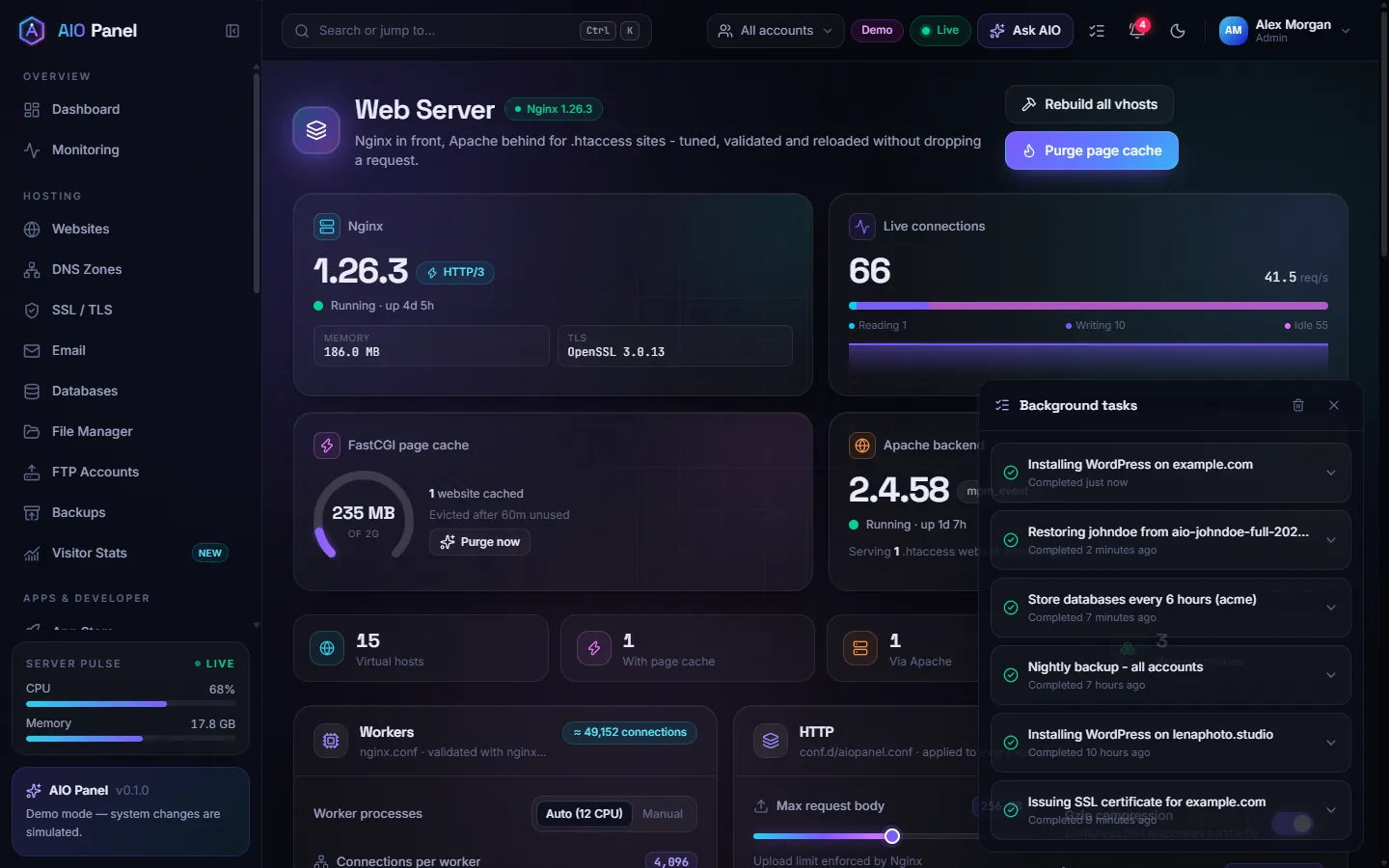
The top of the page shows the Nginx and Apache versions and status, live connections, the FastCGI page cache usage (Purge now) and how many virtual hosts use the cache, Apache or a reverse proxy. Rebuild all vhosts regenerates the configuration of every website (same as aio rebuild).
How do I turn on HTTP/3?
HTTP/3 runs over QUIC (UDP) and makes connections faster, especially on lossy mobile networks. HTTP/2 stays as the fallback.
- Scroll to HTTP/3 & Brotli. The HTTP/3 (QUIC) line says whether your Nginx supports it (Nginx built with
--with-http_v3_module; for example Debian 13 or Ubuntu 26.04). - Turn on HTTP/3. It adds a QUIC listener on UDP 443 to every website with SSL, and adds an
allow 443/udpfirewall rule (turning it off removes the rule again). - Keep Advertise with Alt-Svc on: this response header tells browsers HTTP/3 is available. Remember for sets how long they keep using it without asking again.
- Optionally turn on QUIC address validation (a Retry packet proves the client address first: protects against spoofed floods, costs one round trip).
- Click Save & reload.
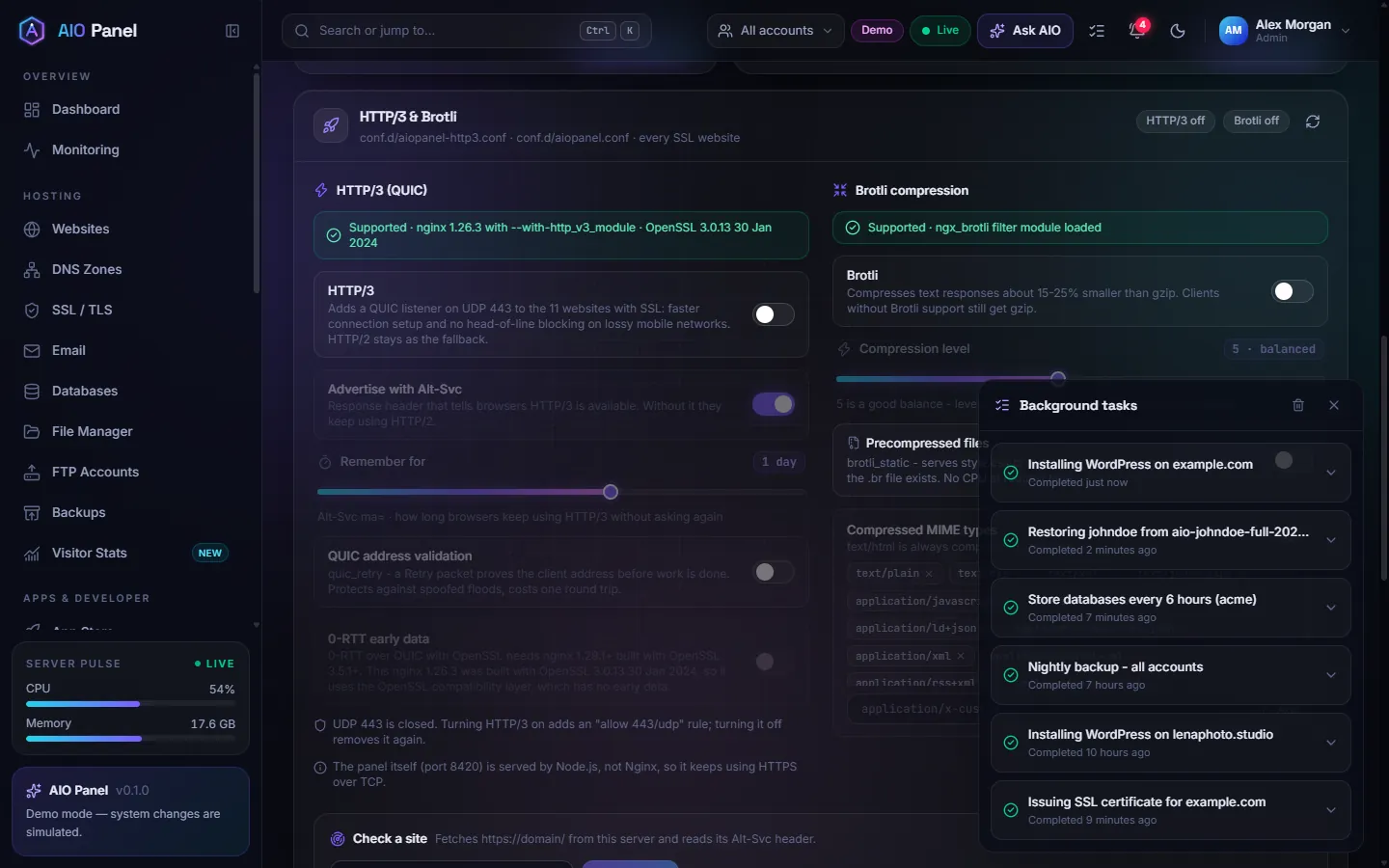
Use Check a site to fetch a website from the server and confirm it sends the Alt-Svc header. If your cloud provider has its own firewall, open UDP 443 there as well.
0-RTT
0-RTT early data over QUIC needs Nginx 1.29.1+ built with OpenSSL 3.5.1+. The panel tells you when your build cannot do it.
How do I turn on Brotli compression?
Brotli makes text responses about 15 to 25 % smaller than gzip; clients without Brotli support still get gzip.
- In HTTP/3 & Brotli, turn on Brotli (requires the
ngx_brotlimodule; the panel shows whether it is loaded). - Keep the Compression level around 5 (levels 10 and 11 are too slow for on-the-fly compression).
- Optionally turn on Precompressed files (
brotli_static): Nginx then servesstyle.css.brinstead of compressingstyle.csswhen the.brfile exists. - Adjust Compressed MIME types if needed, then click Save & reload.
Can I use OpenLiteSpeed?
Yes, as a backend the same way Apache is one: install the server with --openlitespeed, or on a running server open Services, find OpenLiteSpeed and click Install (it adds LiteSpeed's repository by itself). The website stack picker then offers OpenLiteSpeed (via Nginx). Nginx keeps TLS, HTTP/3, the page cache and static files; OpenLiteSpeed runs PHP through LSAPI as the account's user, reads .htaccess itself and works with the LiteSpeed Cache WordPress plugin. Each PHP version needs its lsphp build from LiteSpeed's repository (the installer adds them for the versions you chose); a site whose exact version is missing runs on the closest installed one and says so in its details.
Visitor addresses behind Cloudflare or a load balancer
Behind Cloudflare every request reaches the server from a Cloudflare address. Without help, the access logs, visitor statistics, Fail2ban, the WAF, rate limits and PHP would all see Cloudflare instead of the visitor, and a Fail2ban ban could hit a Cloudflare address and lock out many visitors at once.
Visitor addresses and protection on this page fixes that. With Trust Cloudflare on (the default), Nginx takes the visitor's address from X-Forwarded-For on requests that come from Cloudflare's published ranges, and only from those: the panel checks the list at cloudflare.com every day and keeps the last good copy when it cannot. Nobody else can fake an address this way. Add your own load balancers or other proxies under Other proxies in front of this server.
The same card shows the country database used for country blocking per website (DB-IP Lite, updated monthly) and the GeoIP2 Nginx module, which aio update installs. Update now fetches both at once. If another Nginx file of yours already sets real_ip_header, the panel leaves visitor addresses to it.
Other settings
| Card | What it configures |
|---|---|
| Workers | Worker processes, connections per worker, multi_accept, open file limit |
| HTTP | Max request body (upload limit), timeouts, gzip, hiding the Nginx version, open file cache, page cache size and eviction |
| Apache MPM event | Max request workers, threads per child, spare threads, keep-alive |
| Nginx modules | Compiled-in and dynamic modules |
Per-website settings (stack, PHP version, page cache, WAF, HTTP/2) live on each website's page — see Websites.