
Appearance
File Manager & FTP
File Manager
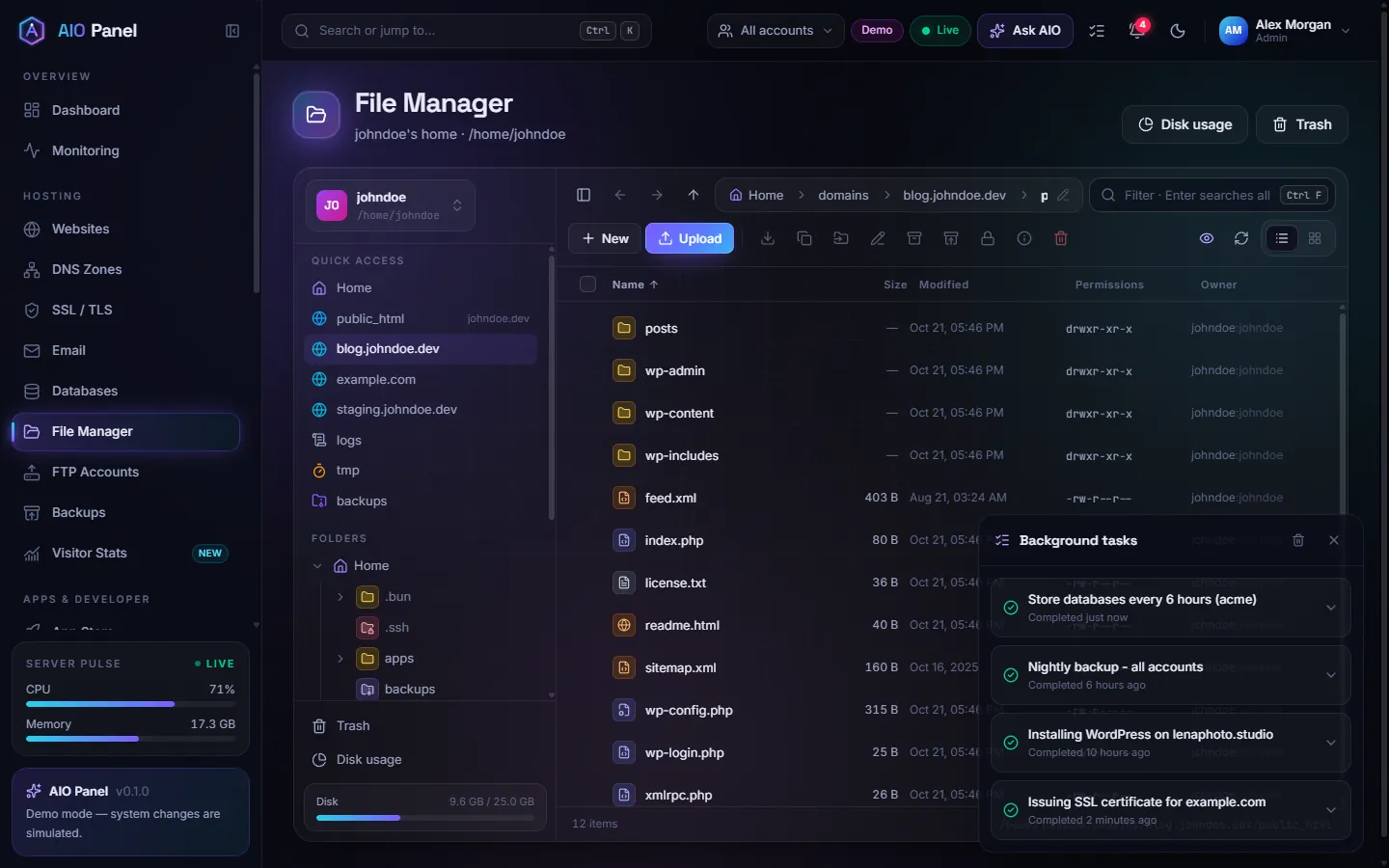
Hosting → File Manager opens the home directory of the account (administrators can also browse the whole server). Quick access jumps to public_html, each website's folder, logs, tmp and backups; the folder tree and the breadcrumb navigate everywhere else.
How do I upload files?
Click Upload (or drag files and folders onto the list). Uploads show their progress at the bottom of the page.
How do I edit a file?
Double-click it. Text files open in the built-in code editor with syntax highlighting; images open in a viewer. Save with Ctrl S; Ctrl F finds and replaces.
How do I compress or extract an archive?
Select files and click Compress, then choose the Format: ZIP (opens everywhere), tar.gz or tar (best for Linux servers, keeps permissions). To unpack, select an archive and click Extract.
How do I change permissions?
Select a file or folder and click Permissions to set read, write and execute for Owner, Group and Public, or type the octal mode (644, 755). The Permissions and Owner columns show the current values.
Other tools
New (file or folder), Download, Copy to, Move to, Rename (F2), Properties (Alt Enter), Delete (Del, moves to Trash so you can restore it), search (Ctrl F), Hide hidden files, and Disk usage to find what takes up space. Right-click any item for the same actions.
FTP accounts
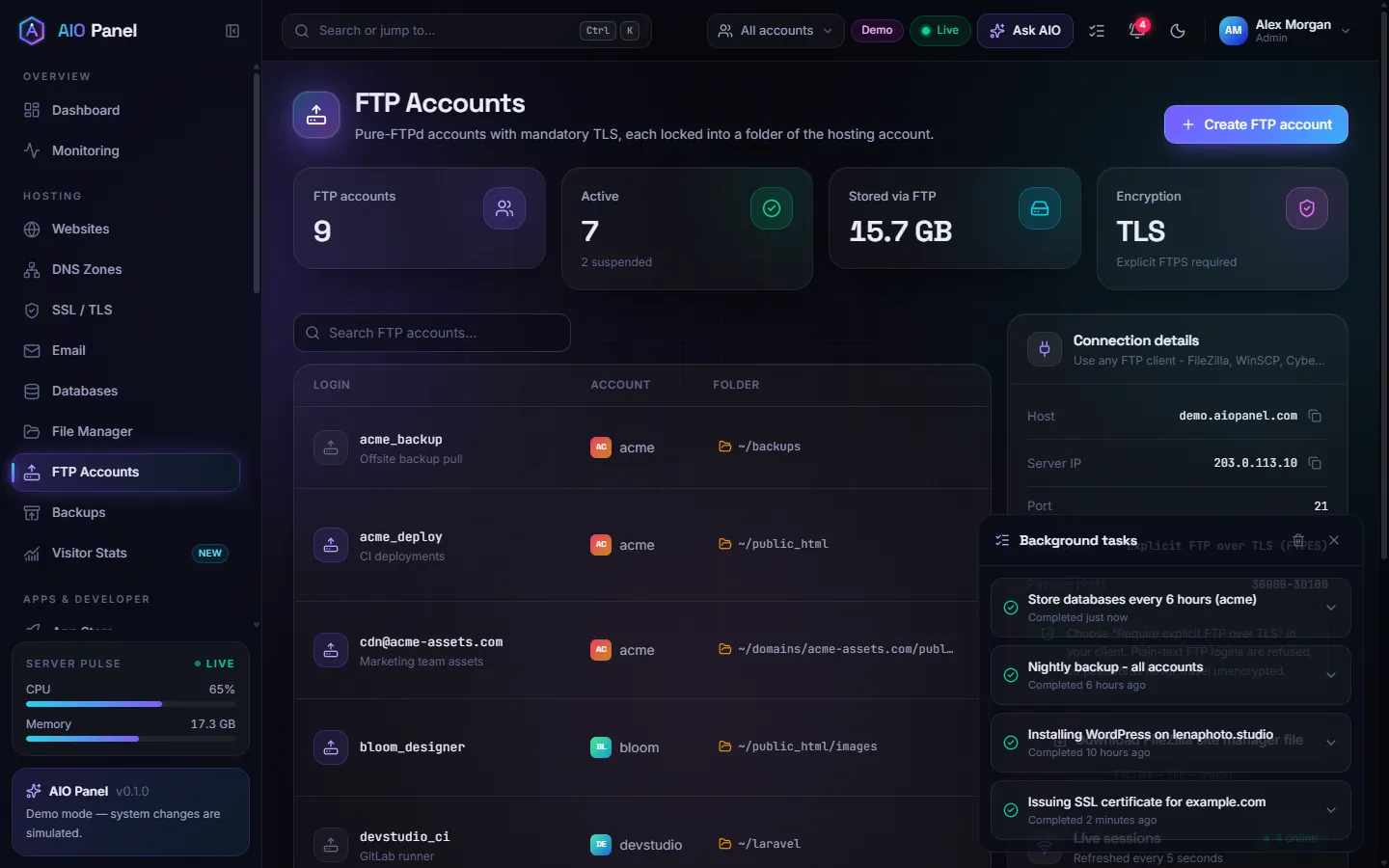
Hosting → FTP Accounts creates Pure-FTPd accounts. Each one is locked into a folder of the hosting account, and TLS is mandatory (explicit FTPS).
How do I create an FTP account?
- Click Create FTP account.
- Pick the hosting account, enter a login and a password.
- Choose the Folder it is locked into (for example
public_htmlor a website folder; it is created when it does not exist) and a Disk quota, or leave it Unlimited. - Save. Connect with an FTP client using explicit FTP over TLS on port 21, the server hostname, the login and the password.
Suspend, change the password or delete an account from its row. Accounts are suspended automatically with their hosting account.
SFTP
Accounts with SSH / shell access can also use SFTP with their account username, which needs no FTP account. Add SSH keys in Security Center → SSH keys.