
Appearance
Cron jobs
Apps & Developer → Cron Jobs schedules commands that run automatically as the account's Linux user (never as root, except server-wide jobs created by an administrator). Times use the server clock. The list shows each job's schedule in plain words, the next run, the last result and its duration.
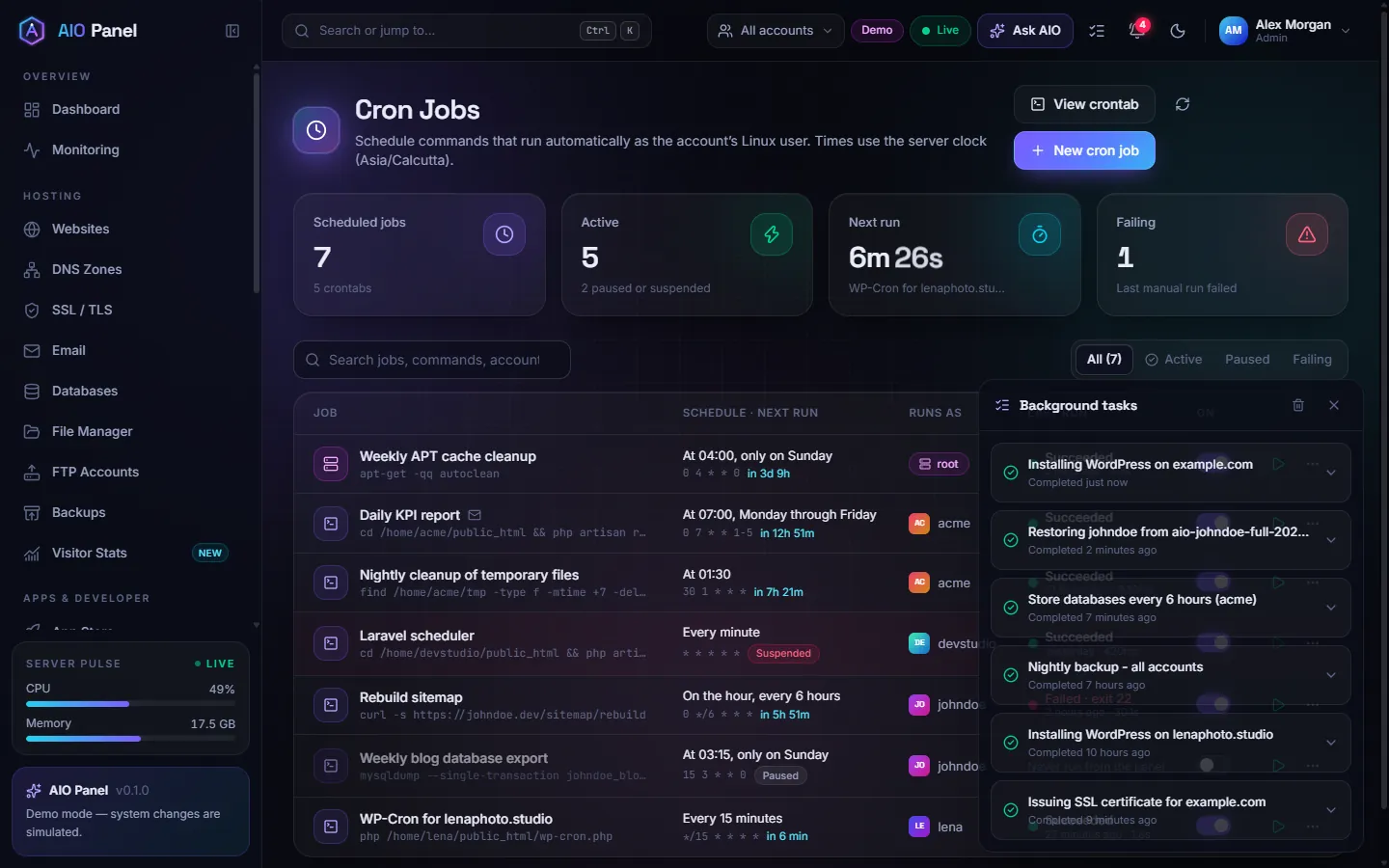
How do I create a cron job?
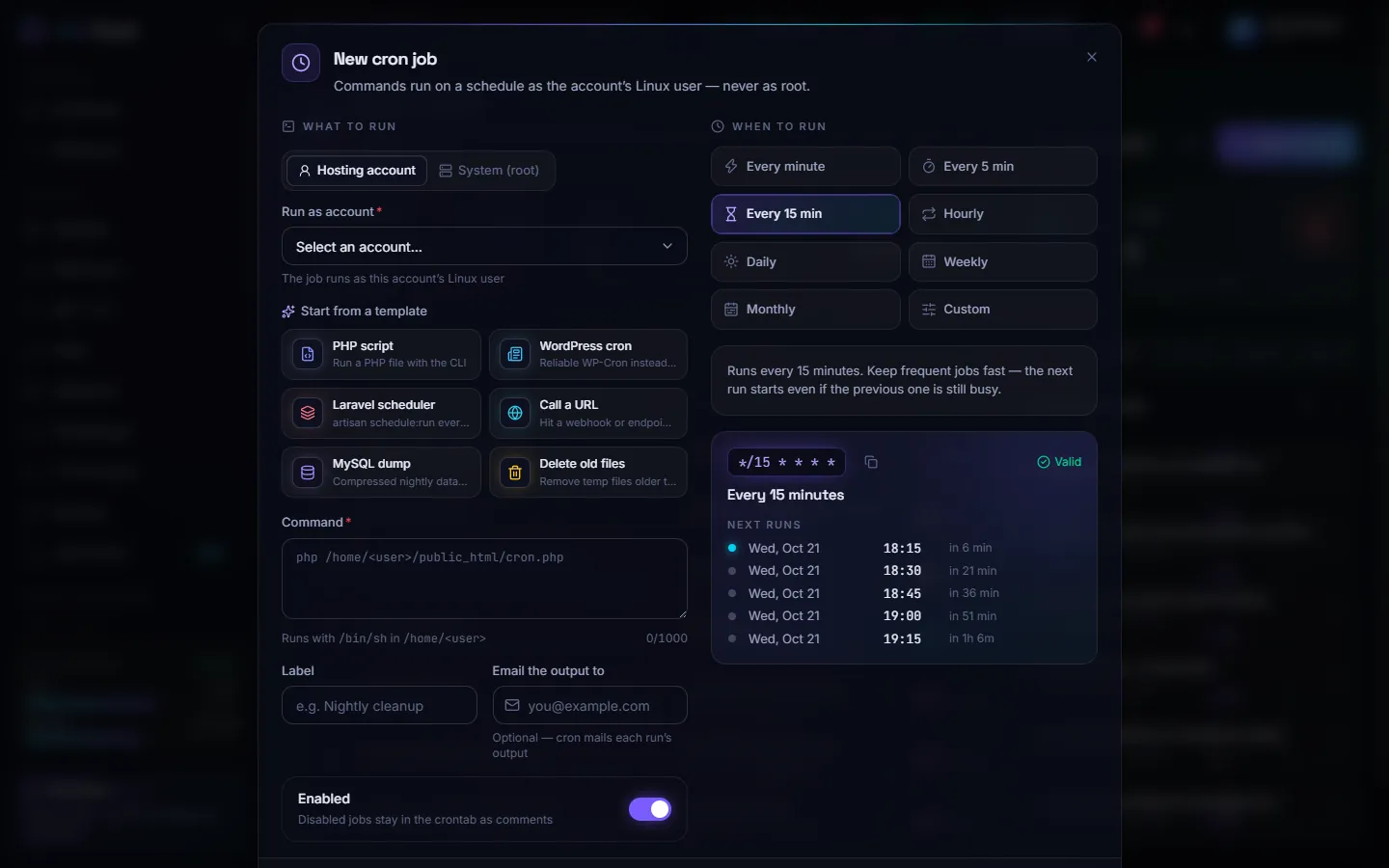
- Click New cron job.
- Under What to run, pick Hosting account (and the account) or System (root) (administrators).
- Start from a template — PHP script, WordPress cron, Laravel scheduler, Call a URL, MySQL dump or Delete old files — or type the Command yourself (it runs with
/bin/shin the account's home directory). - Add a Label, and optionally Email the output to an address.
- Under When to run, pick Every minute, Every 5 min, Every 15 min, Hourly, Daily, Weekly, Monthly or Custom (a cron expression). The preview shows the next runs so you can check the schedule.
- Click Create cron job.
How do I test a job?
Click Run now on its row and watch the output. Failed runs are marked Failing with the exit code, and Last run output keeps what the last run printed.
Tips
- Turning a job off keeps it in the crontab as a comment (Enabled switch).
- Jobs of suspended accounts are paused automatically.
- View crontab shows the generated crontab; Rewrite every crontab from the panel database repairs crontabs edited by hand.