
Appearance
API tokens
Everything the web UI does goes through the same REST API, so anything you can click you can automate. Scripts and CI pipelines authenticate with personal API tokens, created under your avatar menu → Profile → API tokens.
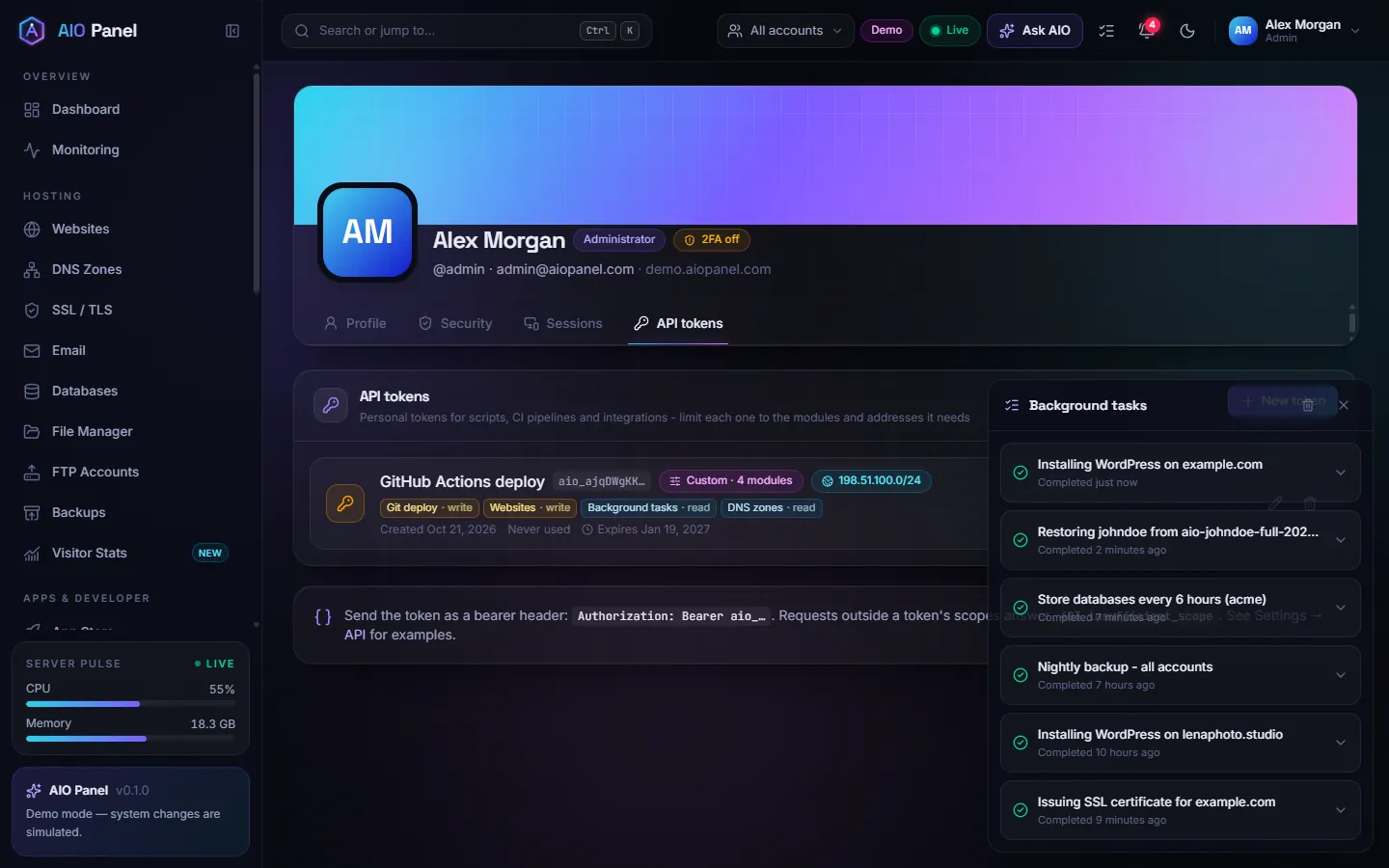
How do I create a token?
- Click New token.
- Name it after the server or pipeline that uses it (for example
GitHub Actions deploy). - Choose the Access:
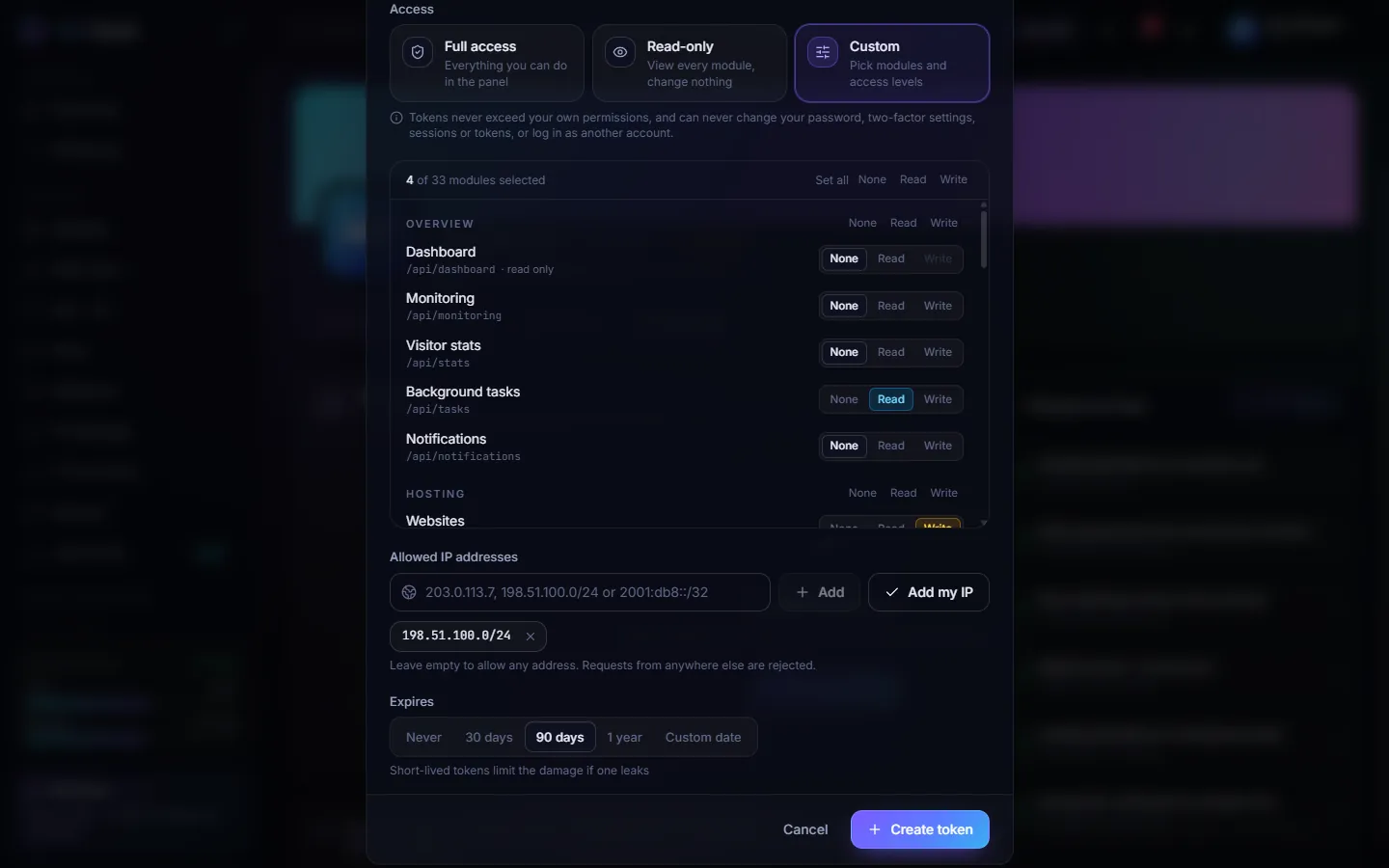
- Full access — everything you can do in the panel;
- Read-only — view every module, change nothing;
- Custom — pick None, Read or Write per module (write includes read).
- Optionally restrict Allowed IP addresses: add addresses or ranges (
203.0.113.7,198.51.100.0/24,2001:db8::/32), or click Add my IP. Leave it empty to allow any address. - Pick when it Expires: Never, 30 days, 90 days, 1 year or a Custom date. Short-lived tokens limit the damage if one leaks.
- Click Create token and copy it: it is shown only once. The dialog includes a
curlcommand to try it.
How do I use it?
Send it as a bearer token:
bash
curl -s https://panel.example.com:8282/api/auth/session \
  -H "Authorization: Bearer aio_..."
GET /api/auth/session tells a script who it is and which scopes it has. A request outside the token's scopes answers 403 insufficient_scope; a request from an address that is not allowed answers 403 token_ip_denied.
Long operations
Installs, backups and certificates answer 202 { taskId }. Give the token Background tasks → Read (tasks:read) so it can follow them.
What can a token never do?
Tokens never exceed the permissions of their owner, and they can never change your password, two-factor settings, sessions or tokens, or log in as another account — those need an interactive login. Tokens cannot be created while you are logged in as a customer.
Can tools written for cPanel talk to AIO Panel?
Yes, for the calls they use most. The panel answers the cPanel API at the paths cPanel clients expect, on the panel's own address and port:
- UAPI:
https://<panel>:8282/execute/<Module>/<function> - API 2:
https://<panel>:8282/json-api/cpanel?cpanel_jsonapi_module=…&cpanel_jsonapi_func=…
Authenticate with the header those tools already send, using an AIO Panel API token in place of the cPanel token:
Authorization: cpanel <username>:<API token>Basic (user name and token) and Bearer work too. Account passwords are not accepted. The token's scopes, IP allowlist, package limits and the audit log apply exactly as for the native API.
| Used by | Functions |
|---|---|
acme.sh (dns_cpanel), certbot-dns-cpanel | API 2 ZoneEdit::fetchzones, fetchzone_records, add_zone_record, edit_zone_record, remove_zone_record, CustInfo::displaycontactinfo |
lego, Traefik, Caddy (cpanel DNS provider) | UAPI DNS::parse_zone, DNS::mass_edit_zone |
| Certificate deploy hooks | UAPI SSL::install_ssl |
| Provisioning scripts | UAPI Email::list_pops, add_pop, passwd_pop, delete_pop, Mysql::create_database, create_user, set_privileges_on_database, DomainInfo::list_domains |
| Whole domains | API 2 AddonDomain::addaddondomain, listaddondomains, deladdondomain (a website of its own); Park::park, listparkeddomains, unpark (an alias of a website). Removing a domain keeps its files. |
| Subdomains | UAPI SubDomain::addsubdomain; API 2 SubDomain::addsubdomain, listsubdomains, delsubdomain |
| FTP accounts | UAPI Ftp::list_ftp, add_ftp, passwd, delete_ftp |
| Cron jobs | API 2 Cron::listcron, add_line, edit_line, remove_line (the line number is the job's id) |
Example with acme.sh (DNS validation, also for wildcard certificates):
bash
export cPanel_Username=johndoe
export cPanel_Apitoken=aio_...
export cPanel_Hostname=https://panel.example.com:8282
acme.sh --issue --dns dns_cpanel -d example.com -d '*.example.com'
Record types A, AAAA, CNAME, MX, NS and TXT can be changed this way. A function that is not in the table answers with an error that lists the supported ones; use the panel's own API for everything else. For an ACME client, a token limited to the dns module with write access is enough.
How do I revoke a token?
Delete it from the token list. The list shows each token's scopes, IP restrictions, expiry and when it was last used (and from which IP).
Site API (aiopanel.net)
Your aiopanel.net account has its own keys, separate from panel tokens: Account → API keys. They read what the customer dashboard shows, so a script or monitoring job can list licenses, activated servers and invoices without a browser session.
- Keys look like
aiok_…and are shown once; only a hash is stored. Give each key a name, the scopes it needs and an optional expiry, and revoke it from the same page. - Scopes:
licenses:read,servers:read,servers:release(free a seat so another server can activate),invoices:read. Nothing a key can do changes your password, e-mail, payment methods or notification settings. - Send the key as a bearer token:
bash
curl -H "Authorization: Bearer aiok_..." https://aiopanel.net/api/account/licenses
curl -H "Authorization: Bearer aiok_..." https://aiopanel.net/api/account/servers
curl -H "Authorization: Bearer aiok_..." https://aiopanel.net/api/account/invoices
curl -X DELETE -H "Authorization: Bearer aiok_..." https://aiopanel.net/api/account/servers/<licenseId>/<activationId>
The last-used time and address of every key are listed next to it.
Related
- REST API reference: authentication, scopes and IP allowlist
- Settings → API shows the base URL, a quick start and popular endpoints.
- Roadmap, ideas and notifications for the rest of the aiopanel.net account